Skip to main content
How to Change Your Account’s Email Address (On a Browser)
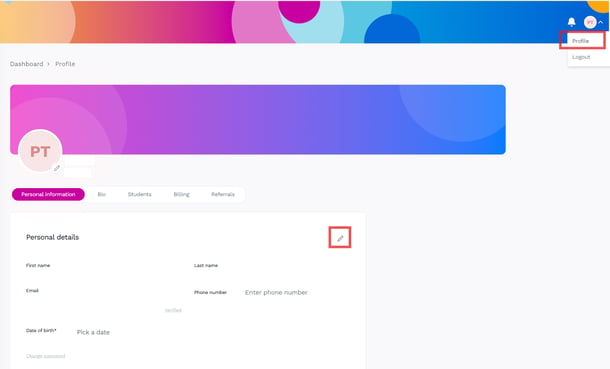
- After you log into your Letterly account, via your browser, navigate to your profile page.
- Click the pencil icon at the personal information page.
- Enter the new email address.
- A confirmation email will be sent to your new email address for you to verify.
- Click the link inside the email, then your email address will be updated to the new one
